
Sewing Machine Tension: Diagnose and Fix It in Order
NeedleAndHoop is reader-supported. If you buy through our links we may earn a commission at no extra cost to you. As an Amazon Associate we earn from qualifying purchases. Disclosure.
Work through these in order.
What balanced tension looks like
Brother says the upper and bobbin threads should lock near the center of the fabric. Only the upper thread should show on the right side, and only the bobbin thread on the wrong side. Brother also says too much or too little tension weakens seams or causes puckers.
Step 1: Rule out threading and the needle
- Rethread the top with the presser foot up. SINGER says loops under the fabric are usually caused by the upper thread not being seated in the tension correctly. For its machines, SINGER suggests rethreading with the foot up and the tension set at 4.
- Re-seat the bobbin. SINGER says loops on top of the fabric mean the bobbin isn't inserted or threaded correctly. See bobbins.
- Change the needle. Brother says a bent or dull needle makes correct tension impossible. See needles.
Full threading steps: how to thread a sewing machine.
Step 2: Test on the same fabric
Brother says to test on scraps of the same fabric you're sewing. Most machines mark the standard setting with a line, dot or other indicator, per Utah State Extension.
Step 3: Adjust the upper tension
| What you see | What it means (Brother) | Fix |
|---|---|---|
| Bobbin thread visible on the right side | Upper thread too tight | Turn the dial counterclockwise to loosen |
| Upper thread visible on the wrong side | Upper thread too loose | Turn the dial clockwise to tighten |
Make small changes and re-test each time.
Step 4: Bobbin tension (last resort)
SINGER says bobbin tension is set at the factory and usually never needs adjusting. If the bobbin is threaded properly and the problem persists, it says to adjust the bobbin case screw in small increments. Superior Threads suggests marking the screw's position first with a permanent marker, then turning a quarter turn at a time (left, or counterclockwise, to loosen). If you're not comfortable, ask a dealer.
Don't forget the bobbin itself
Brother says a badly wound bobbin can break the needle or throw off tension, and SINGER says bobbins wind loosely if the thread isn't snug in the winder's tension disk. If you've tried everything, wind a fresh bobbin.
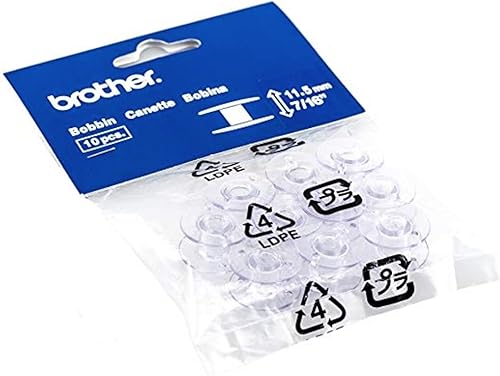
Brother SA156 Bobbins, 10-Pack
- 10 clear plastic bobbins, 11.5 mm, per the listing
- Genuine Brother accessory for Brother sewing and embroidery machines
- Check your manual for the bobbin type your model uses
FAQ
What does correct tension look like?
Threads lock in the middle; each shows only on its own side.
Bobbin thread on top?
Top tension too tight. Turn the dial counterclockwise.
Loops underneath?
Usually the top isn't threaded through the tension correctly. Rethread.